-start up the application, select a customer and click the Job List button or press Alt+j and:
--press the Add button or Alt+a or
--search for a job, select one and press Modify button or Alt+m;
To add new job for a customer, navigate to Job List window and click Add button or press Alt+a
key combination. To modify job, navigate to application Job List window, search
for a job, select it
in a list and eventually click Modify button or press Alt+m key combination.
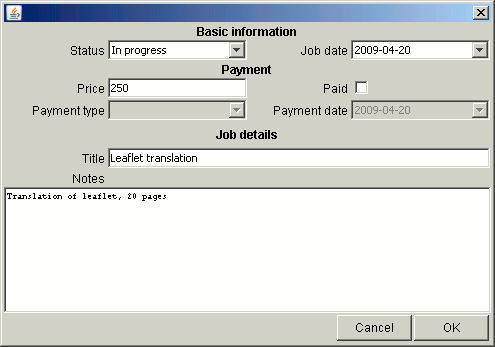
In both cases you will be brought to Add new/edit job window:
Jobs have the following properties:
-Status - current state of job;
-Job date - when order was placed;
-Price - amount customer has agreed to pay/paid;
-Paid - ticked if customer has paid for the order; Enables/disables Payment type and Payment
date controls;
-Payment type - how did the customer pay;
-Payment date - when did the customer pay;
-Title - short description of job;
-Notes - additional information, length not limited;